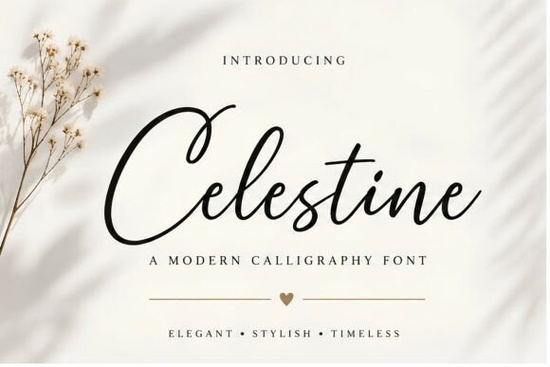
If you've been looking for a calligraphy font that feels polished without being over the top, the Celestine Font is worth checking out. It's a modern luxury script typeface with flowing strokes, graceful curves, and signature-style lettering. It works beautifully for wedding invitations, branding, logos, packaging, social media content, and editorial layouts basically anywhere you need an elegant, readable script.
What Makes Celestine Different From Other Calligraphy Fonts?
Plenty of calligraphy fonts look gorgeous at first glance but fall apart in real projects. The flourishes become distracting, the letters blur together at small sizes, or the overall style feels too niche for everyday use.
Celestine avoids those problems. Its letterforms are decorative enough to catch the eye but structured enough to stay readable. The strokes have a natural rhythm that mimics hand-lettering without sacrificing consistency. That balance matters when you're designing something like a logo that needs to look good at different sizes, or a social media post that has to be legible on a phone screen.
For designers who want that refined, feminine aesthetic, it fills a space between overly ornate scripts and plain signature fonts.
What Projects Is This Font Best Suited For?
Celestine works across a surprisingly wide range of projects. Here's where it tends to perform best:
- Wedding stationery invitations, RSVP cards, menus, and programs
- Brand identity logos, business cards, and letterheads for beauty, fashion, and lifestyle brands
- Social media graphics quote posts, story templates, and highlight covers
- Product packaging labels for candles, skincare, artisan goods
- Print-on-demand mugs, tote bags, T-shirts, and wall art
- Editorial design magazine headers, blog graphics, and book covers
If you're working specifically on wedding designs, the Royal Wedding typeface is another option worth exploring alongside Celestine. Both share that formal, romantic feel, though each has its own character.
How Does It Compare to Other Script Fonts?
Choosing between script fonts can be tough because they often look similar in previews. Here's a quick comparison to help you decide if Celestine is the right fit, or if another option might serve your project better:
- Brittney Signature Font If you want something with a bolder, more expressive hand-lettered personality, this signature-style option leans into that spontaneous, imperfect look.
- Perfect Signature Font For a cleaner, more minimal approach to script lettering, this typeface keeps things simple and professional.
- Authentic Society Font If you need a more traditional calligraphy style, this one delivers a classic, refined look that suits formal projects.
- Alexia Bright Font When the project calls for something with more energy and a playful, upbeat vibe, this font takes a completely different direction.
Celestine sits right in the middle elegant and modern without leaning too far in any one direction. That versatility is what makes it useful for so many different types of projects.
Can I Use Celestine for Client Work and Products I Sell?
Yes. Fonts on Creative Fabrica come with a license that covers both personal and commercial use. You can use Celestine in designs you sell, client projects, print-on-demand products, and digital downloads.
As a general habit, it's always smart to review the license details before starting a project especially if you're planning a large product run or distributing the font files themselves. Most licenses don't allow reselling the font file as-is, but using it within your designs is typically fine.
Practical Tips for Working With Script Fonts
Script fonts behave differently than standard serif or sans-serif typefaces. Here are a few things to keep in mind when using Celestine (or any calligraphy font) in your work:
- Adjust your letter spacing. Calligraphy fonts often need tighter tracking at larger sizes and looser tracking at smaller sizes. Always test at the actual size you'll use.
- Pair it with a clean sans-serif. Let the script font shine in headings or short phrases. Use a simple sans-serif for body text so the layout doesn't feel cluttered.
- Avoid using it for long paragraphs. Script fonts are designed for short, impactful text. A full paragraph in calligraphy is tiring to read.
- Print a test before finalizing. If you're using the font on packaging, cards, or merchandise, print a physical sample to check readability.
- Watch the contrast. Thin script strokes can disappear on busy backgrounds. Make sure there's enough contrast between the text and the surface.
Before You Download, Run Through This Checklist
- ✅ Confirm the font matches the tone of your project elegant, feminine, modern
- ✅ Test it with your actual text at the size you plan to use
- ✅ Choose a complementary body font for any accompanying text
- ✅ Review the license to make sure it covers your use case
- ✅ Download, install, and start designing
Next step: Grab Celestine, set up a quick test file with your project text, and pair it with two or three different sans-serif fonts to see which combination works best. You'll know within a few minutes if it's the right fit.
Explore Design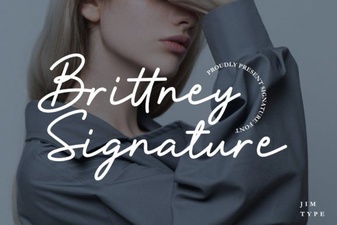 Elegant Brittney Signature Font for Modern Creative Projects
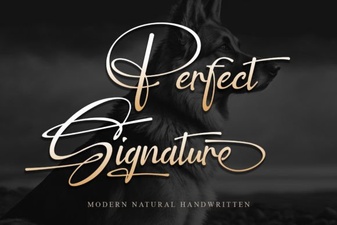 Elegant Signature Font Ideas for Creative Projects
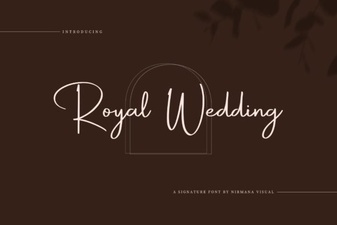 Elegant Royal Wedding Font Designs for Your Special Day
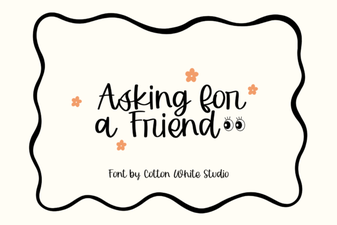 Creative Typography with Asking for a Friend Font
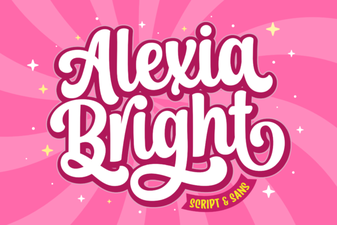 Alexia Bright Font for Modern Creative Design Projects
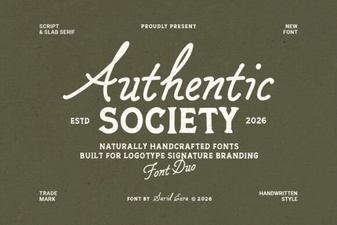 Authentic Society Font - Free Script Font Download